
Vertical framing for a two-part story
Keep gameplay and facecam in the vertical frame.
For supported 9:16 renders, intoshort analyzes the selected passage and can place the facecam above the gameplay with captions between them. If detection is not stable, it falls back to a simpler crop.
Automatic layout is applied to selected passages, not the entire source video.
What intoshort does
A layout decision based on the footage, with a safe fallback.
The product does not assume every corner box is a facecam. It checks the selected passage for a stable face region before using the split gameplay layout.
- A stable facecam can be stacked above gameplay in a 40/60 vertical composition.
- Captions sit between the two visual areas to avoid covering the main action.
- Missing or unstable detection falls back to a center crop instead of forcing a broken layout.
Layout example
One source, a vertical composition.
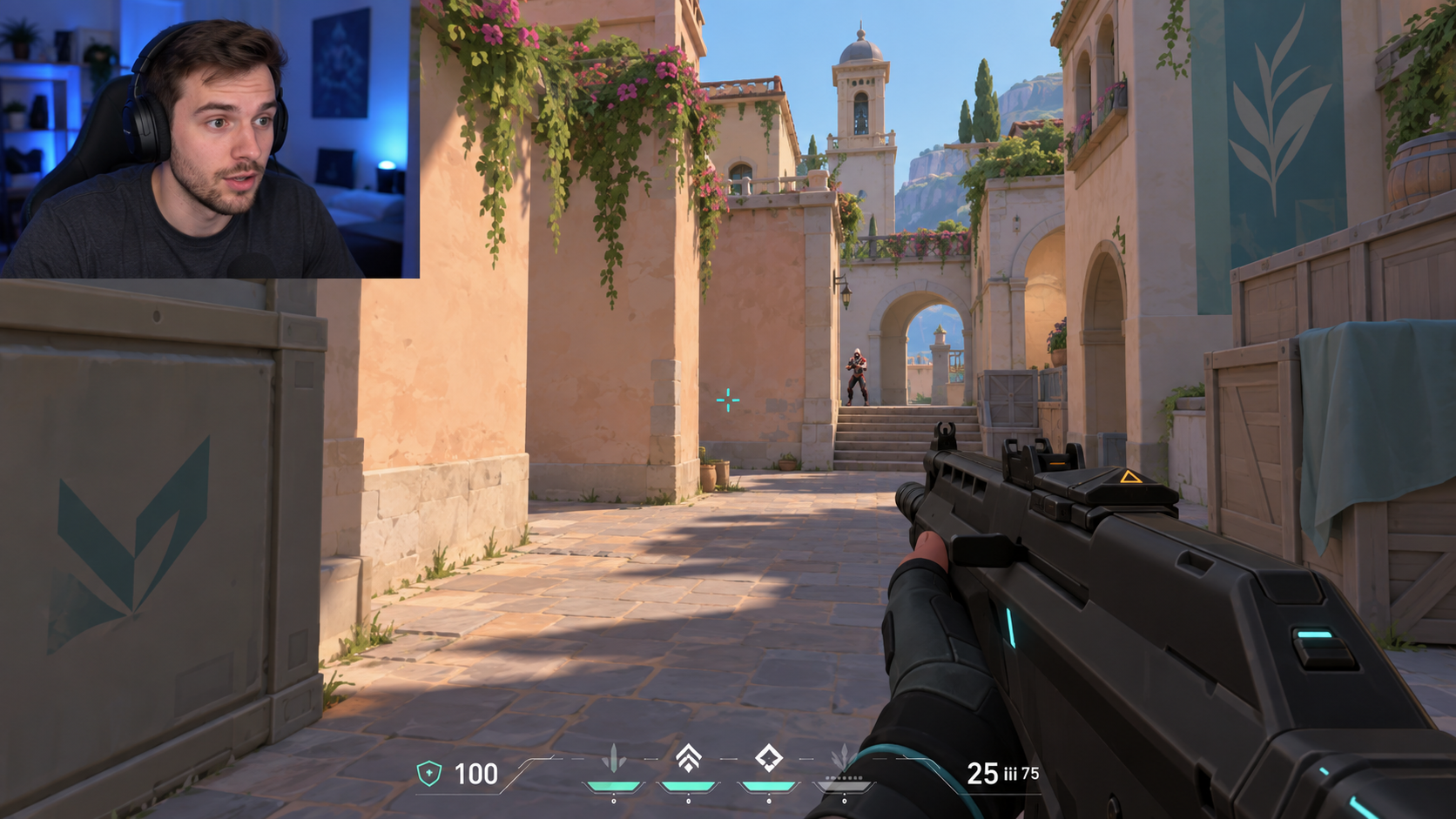
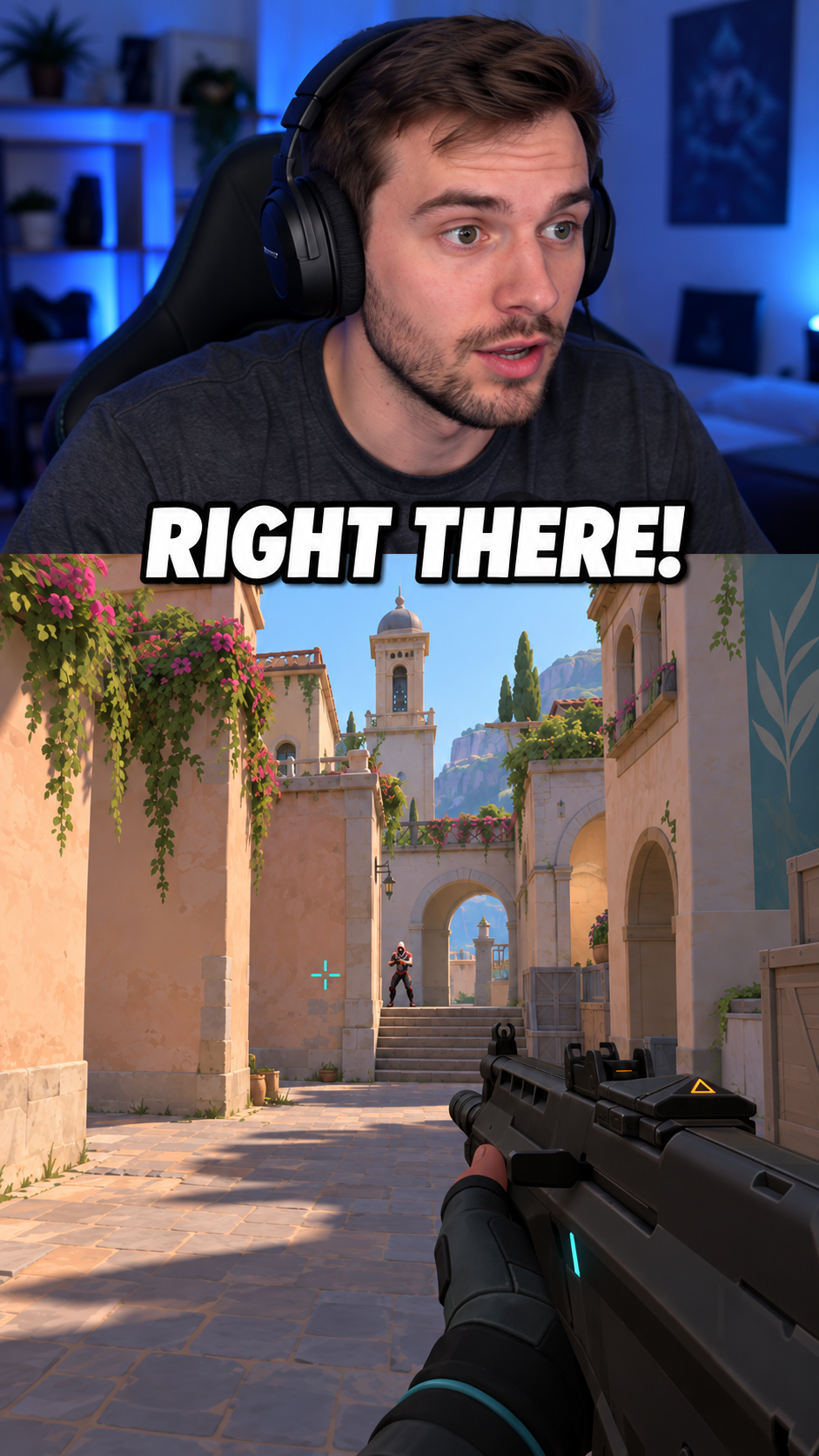
AI-generated illustration, not an actual export. The final layout depends on the detected facecam and the selected source passage.
From source to export
The clip is selected before the frame is rebuilt.
Framing follows the editorial selection. That keeps the visual analysis focused on the part you may actually export instead of processing the full VOD as if every scene used the same layout.- 01
Select the passage
AI proposes a source-backed moment and intoshort validates the timing before the render starts.
- 02
Choose a 9:16 output
Gameplay and facecam detection is used for new vertical renders. A 16:9 export keeps the conventional full-frame treatment.
- 03
Analyze the selected footage
The render checks for a stable face region across the chosen passage before committing to the split layout.
- 04
Review the composition
Play the draft, check the action and captions, then refine or reject it before export.
Before you process
Automatic framing cannot infer every overlay correctly.
- The split layout requires stable facecam detection in the selected passage. Scene changes, masks, avatars or multiple faces can trigger the fallback.
- A center crop is used when detection is absent, unstable or fails. That protects the render, but it may not preserve every important HUD element.
- The illustration shows the intended structure, not a promise that every source will produce the same crop or proportions.
Questions
Clear answers before you start.
What happens if my facecam disappears?
If the face region is not stable enough across the selected passage, intoshort uses the fallback crop instead of forcing the gameplay-and-facecam layout.
Does this change my original video?
No. The source remains unchanged. The layout is created for the new short render and can be reviewed before export.
Will captions cover the gameplay?
In the split layout, captions are positioned between the facecam and gameplay areas. You can still review and adjust their style, size and position.
Your footage, your decision.